
Control Add-ins in AL allow developers to extend the Business Central user interface using custom web-based controls. They make it possible to embed rich UI elements—such as charts, maps, scanners, or interactive widgets—inside pages, going beyond what standard AL controls can provide.
This page explains what control add-ins are, why they exist, and how they are used correctly, with practical examples. The focus is on understanding control add-ins as a UI extensibility mechanism, not as a replacement for business logic or standard AL controls.
What Is a Control Add-in?
Use a control add-in when a page needs an interaction that standard AL controls cannot express. Keep validation and data changes in AL; the web component should concentrate on presentation and user input so permissions, posting logic, and upgrades remain manageable.
A control add-in is a special AL object that acts as a bridge between Business Central pages and external JavaScript/HTML/CSS components. It allows a web-based UI component to be hosted inside a Business Central page and communicate with AL code.
A control add-in:
•Renders custom UI inside a page
•Uses JavaScript for behavior and interaction
•Communicates with AL through events and procedures
•Runs inside the Business Central web client
A control add-in does not:
•Store business data
•Replace tables or codeunits
•Execute posting or validation logic
It is strictly a presentation and interaction layer.
Why Control Add-ins Exist
Standard AL controls cover most business scenarios, but some requirements cannot be met with built-in UI elements alone, such as:
•Advanced visualizations
•Interactive maps or diagrams
•Barcode or camera integrations
•Custom dashboards or widgets
Control add-ins exist to:
•Extend UI capabilities safely
•Reuse web technologies
•Keep core ERP logic unchanged
•Preserve upgrade safety
They allow innovation without compromising system stability.
Basic Structure of a Control Add-in
A control add-in is defined using the controladdin object. It declares:
Required scripts
Startup script
AL-JavaScript communication points
Example: Basic Structure of control-addins
controladdin 50400 "SimpleMessageAddIn"
{
    Scripts = 'simplemessage.js';
    StartupScript = 'simplemessage.js';
    RequestedHeight = 200;
    RequestedWidth = 300;

    event ControlReady();
    procedure ShowMessage(MessageText: Text);
}
This object defines the contract between AL and JavaScript.
JavaScript Side of a Control Add-in (Conceptual)
The JavaScript file implements the UI and logic referenced by the control add-in.
Example: javascript with control-addins
Microsoft.Dynamics.NAV.InvokeExtensibilityMethod('ControlReady', []);

function ShowMessage(message) {
    alert(message);
}
This script:
•Signals when the control is ready
•Exposes functions callable from AL
•Handles UI behavior
Using a Control Add-in on a Page
Control add-ins are hosted inside pages using a usercontrol.
Example: control-addins on Page
page 50400 "Add-in Demo Page"
{
    PageType = Card;
    ApplicationArea = All;
    UsageCategory = Administration;

    layout
    {
        area(Content)
        {
            usercontrol(MyAddIn; "SimpleMessageAddIn")
            {
                trigger ControlReady()
                begin
                    CurrPage.MyAddIn.ShowMessage('Control Add-in loaded successfully');
                end;
            }
        }
    }
}
This page:
•Hosts the control add-in
•Responds to add-in events
•Calls JavaScript logic from AL
Communication Between AL and JavaScript
Control add-ins communicate in two directions:
•JavaScript → AL using events
•AL → JavaScript using procedures
This communication is asynchronous and event-driven, ensuring UI responsiveness.
Page Hosting a Control Add-in
page 50130 PageWithAddIn
{
    layout
    {
        area(Content)
        {
            // The control add-in is placed on the page using the usercontrol keyword
            usercontrol(ControlName; SampleAddIn)
            {
                ApplicationArea = All;

                // JavaScript → AL communication
                // This trigger is raised from JavaScript using InvokeExtensibilityMethod
                trigger Callback(i: Integer; s: Text; d: Decimal; c: Char)
                begin
                    Message('Got from js: %1, %2, %3, %4', i, s, d, c);
                end;
            }
        }
    }

    actions
    {
        area(Creation)
        {
            action(CallJavaScript)
            {
                ApplicationArea = All;

                trigger OnAction()
                begin
                    // AL → JavaScript communication
                    // Calling a JavaScript-exposed method on the control add-in
                    CurrPage.ControlName.CallJavaScript(5, 'text', 6.3, 'c');
                end;
            }
        }
    }
}
What This Example Demonstrates
This page shows a complete control add-in interaction cycle:
•The control add-in is embedded using usercontrol
•JavaScript raises the Callback event
•AL handles the event using a trigger
•AL calls JavaScript using a public add-in procedure
•Parameters flow safely in both directions
Key Takeaways From This Example
•usercontrol is the only way to host a control add-in on a page
•JavaScript events map directly to AL triggers
•AL can invoke JavaScript methods using CurrPage.
•Control add-ins act as UI interaction layers, not logic holders
•All business logic must still live in AL (codeunits, tables)
Where Control Add-ins Fit in the Architecture
Control add-ins sit at the UI edge of the system:
•Pages host control add-ins
•Codeunits provide business logic
•Tables store data
Control add-ins should never contain business rules. They should only:
•Display data
•Capture user interaction
•Delegate logic to AL
Common Use Cases for Control Add-ins
Control add-ins are typically used for:
•Dashboards and charts
•Visual data exploration
•Hardware or browser integrations
•Custom user interaction components
They are especially useful when standard AL UI controls are insufficient.
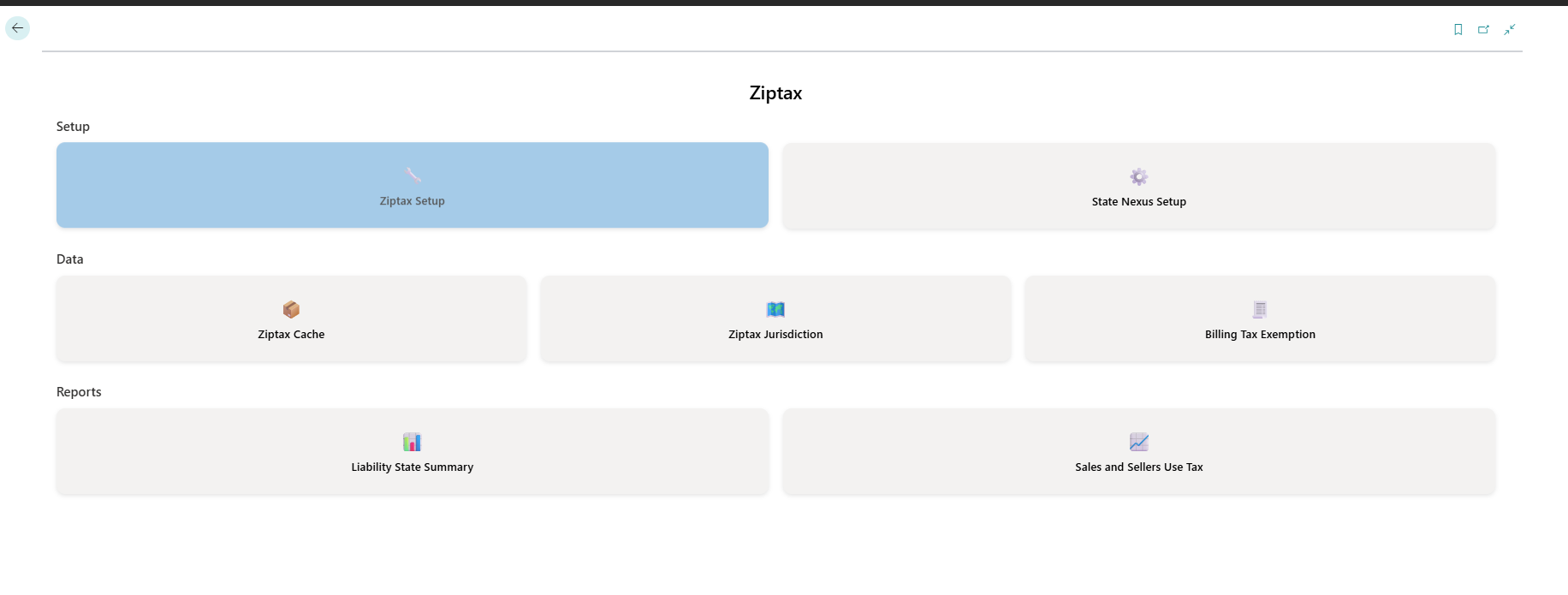
A tile-based workspace is one practical example: JavaScript and CSS provide the presentation, while each tile should raise a defined event back to AL instead of owning the underlying Business Central process.
Common Beginner Mistakes With Control Add-ins
Developers often:
•Put business logic in JavaScript
•Treat add-ins as data owners
•Ignore performance and loading behavior
•Forget browser security constraints
Control add-ins should remain thin UI layers.
Security and Deployment Considerations
When using control add-ins:
•Scripts must be packaged with the extension
•External resources should be used carefully
•Browser sandboxing applies
•Control add-ins run only in the web client
Security and performance must always be considered.
Summary
Control add-ins in AL provide a powerful way to extend the Business Central UI using web technologies. They enable rich interaction and visualization while keeping core business logic and data safely inside AL objects.
A well-designed control add-in:
•Focuses on presentation
•Communicates cleanly with AL
•Avoids business logic
•Preserves upgrade safety
Understanding control add-ins completes the advanced UI extensibility layer of AL development.
Practical check: Render a read-only status indicator through a control add-in
Display a colour-coded delivery status calculated in AL. JavaScript receives only the final status and renders it; it does not query Business Central data or decide the status.
Steps and evidence to inspect
- Declare Scripts and StartupScript paths that exist in the extension package.
- Expose a JavaScript-callable AL procedure and an event for user interaction only if needed.
- Host the user control on a test page and verify load, resize, refresh, and keyboard behaviour.
Expected result
The add-in renders the AL-provided state and still fails safely if its visual asset cannot load. No financial or data mutation depends on browser code.
How to read the important code
Scripts and StartupScript identify packaged assets; the AL procedure defines what JavaScript may call; events carry messages back to AL. Keep those names and parameter types synchronized. A browser console error is not repaired by adding table writes to JavaScript.
If the result is different
A blank control usually means a wrong asset path, blocked resource, JavaScript exception, or readiness timing issue. Check browser developer tools and telemetry before changing the AL contract.
Version and implementation boundary
Content security, mobile layout, accessibility, offline behaviour, and AppSource validation can constrain add-ins. Prefer native controls when they meet the requirement.
Authoritative reference: Microsoft Learn — Control add-in object. The scenario and interpretation above are original to ScrutnLearn.